Free to start, no time limit
Free Grocery Receipt Scanner
& Spending Analyzer
Snap any grocery receipt and instantly see where your money goes, sorted by category. No manual entry, no bank connection, results in seconds.
No credit card required · Cancel anytime · Works with any store · Supports photos & PDFs
GROCERY STORE
Feb 28, 2026
Spending breakdown
How the Receipt Scanner Works
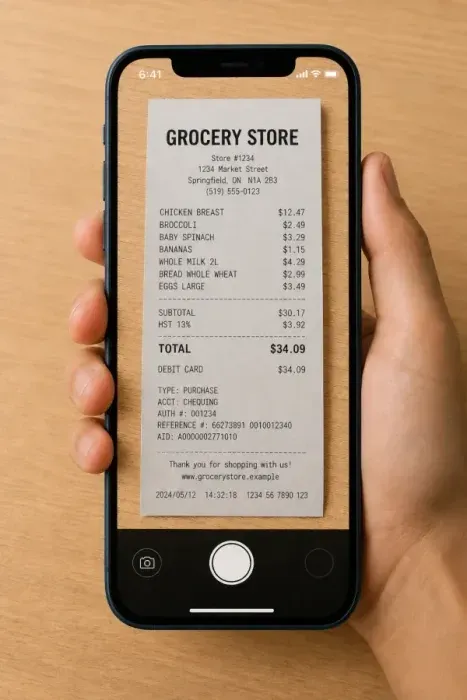
Scan Your Grocery Receipt
Snap a photo or upload a PDF e-receipt and our scanner instantly reads and categorizes every item and price. Works with paper receipts and digital receipts from any store. In seconds you'll see exactly where your money went, including the impulse buys that are easy to forget but hard on your wallet.
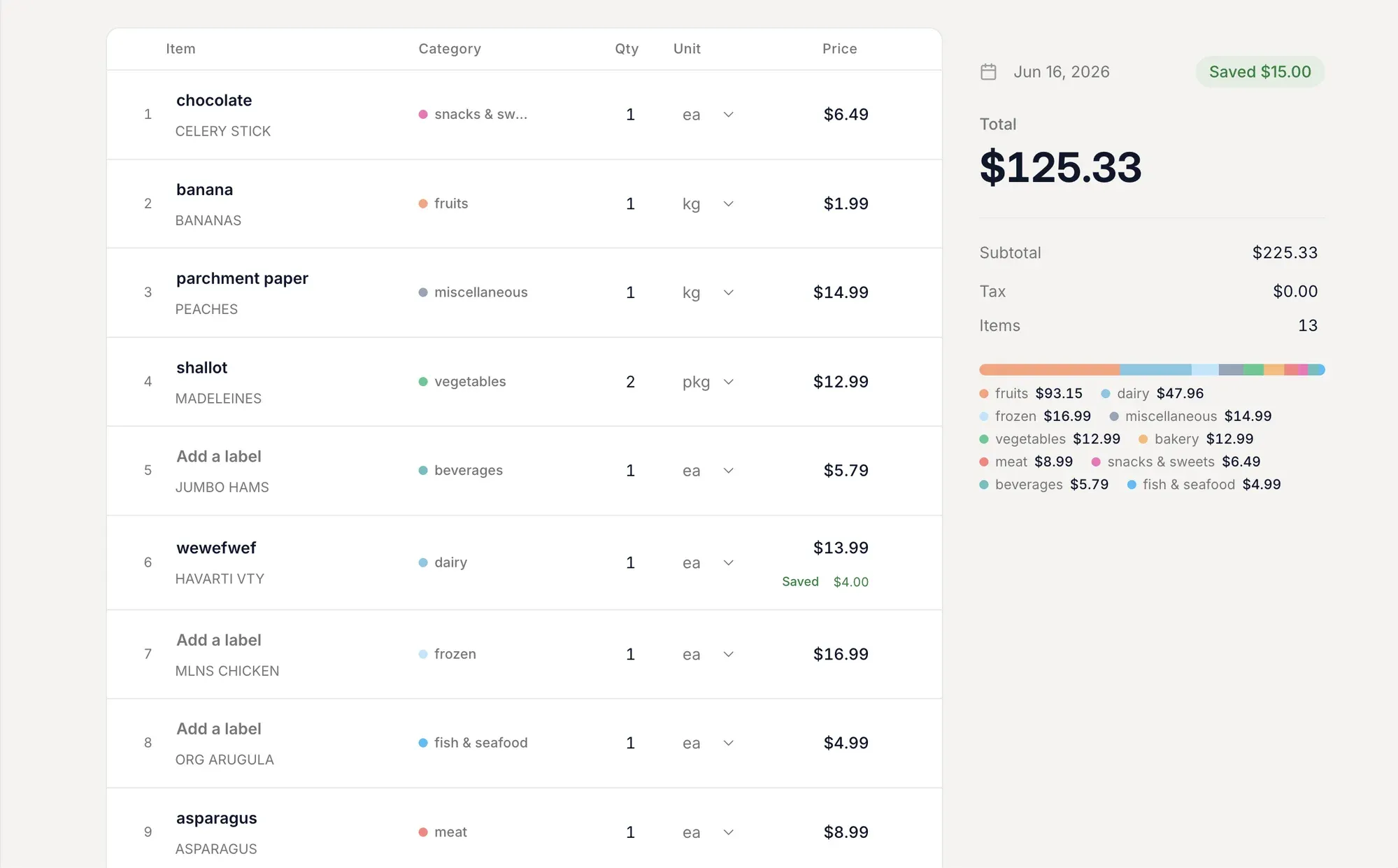
Track Every Item and Category
Get a complete spending breakdown by category and compare prices across stores. Find where you're overpaying, spot which habits cost the most, and see exactly how much you could save by switching stores for key items.
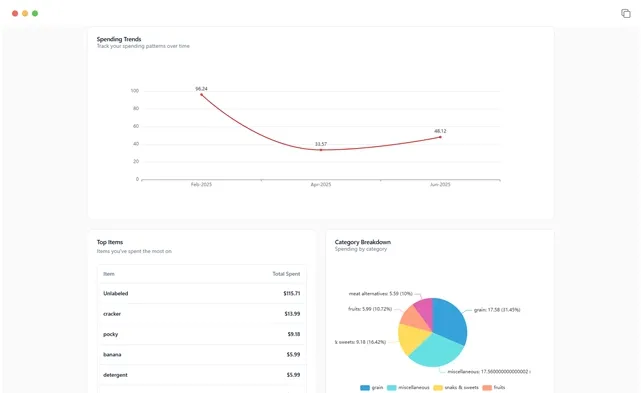
See Your Full Spending Breakdown
Every receipt builds a clearer picture of your grocery habits. See how your spending shifts month to month, which categories are creeping up, and where small changes add up to real savings over time.
What the scanner extracts for you
Every receipt becomes structured data. No spreadsheets required.
Itemized line extraction
Every product, quantity, and price is pulled from the receipt.
Auto-categorization
Items are sorted into produce, meat, dairy, bakery, pantry, snacks, etc automatically. No tagging needed.
Spending by category
See exactly how much you spent on each food group this week, this month, and over time.
Monthly trends
Track whether your grocery spending is rising or falling, and which categories are driving the change.
Store comparison
Compare spending across different stores over time to see where you get the best value.
Budget tracking
Set a monthly grocery budget and watch each receipt move the needle before the month is over.
Spending patterns you'll discover
Most people think they know where their grocery money goes. The data almost always tells a different story.
Hidden category leaders
Beverages, snacks, and household items often account for 20-30% of your total grocery bill - far more than most people guess. Seeing the real numbers lets you make intentional choices instead of spending on autopilot.
The real cost of "quick trips"
That run to the store for milk that turns into a $45 bag? Receipt data shows exactly how often this happens and what gets added each time. People who consolidate trips almost always spend less.
Price trends on your regular items
Egg prices up 40% since last year? Your receipt history shows exactly which items are driving your total higher - so you know whether to switch brands, switch stores, or adjust your budget.
Store-by-store comparison
If you shop at multiple stores, your receipts reveal which one actually saves you money on the items you buy most. The "cheaper" store isn't always cheaper for your specific basket.
Want to dive deeper? Read our guide on grocery receipt analysis for a full breakdown of the patterns people discover.
Grocery Receipt Analysis: What You'll Learn
Every grocery receipt tells a story about your spending habits. Our grocery receipt analyzer reads each line item, assigns it to a category (produce, meat, dairy, bakery, pantry, snacks, frozen, beverages, household), and builds a complete picture of where your money goes.
Most people are surprised by the results. The average household spends 22% of their grocery budget on meat and 18% on produce, but your numbers may look very different. Receipt analysis reveals these patterns automatically.
Over time, scanning grocery receipts builds a spending history that shows trends: which months cost more, which stores give you better prices, and which categories are growing.
Whether you scan a paper receipt photo or upload a digital PDF e-receipt, the analysis is the same. Every item, every price, every category, extracted and organized in seconds.
How to Scan Grocery Receipts
Take a clear photo of your grocery receipt with your phone camera, or upload a PDF e-receipt from your email. The scanner reads the text and identifies every item, price, and quantity.
For best results with paper receipts: lay the receipt flat, ensure good lighting, and capture the entire receipt in one photo. Folded or wrinkled receipts may reduce accuracy.
Digital e-receipts from online grocery orders typically produce the highest accuracy since the text is already digital.
Ready to start?
Stop guessing what you spend.
Start knowing.
One receipt scan takes under 20 seconds. After a month of scanning, you'll know exactly where your grocery money goes.